Transport and trip management features
What Navigster does for transport teams, drivers and the people who travel: plan routes and schedules, follow assigned trips with stop-level estimates, record supported boarding, share trip updates, and review what happened.
On this page
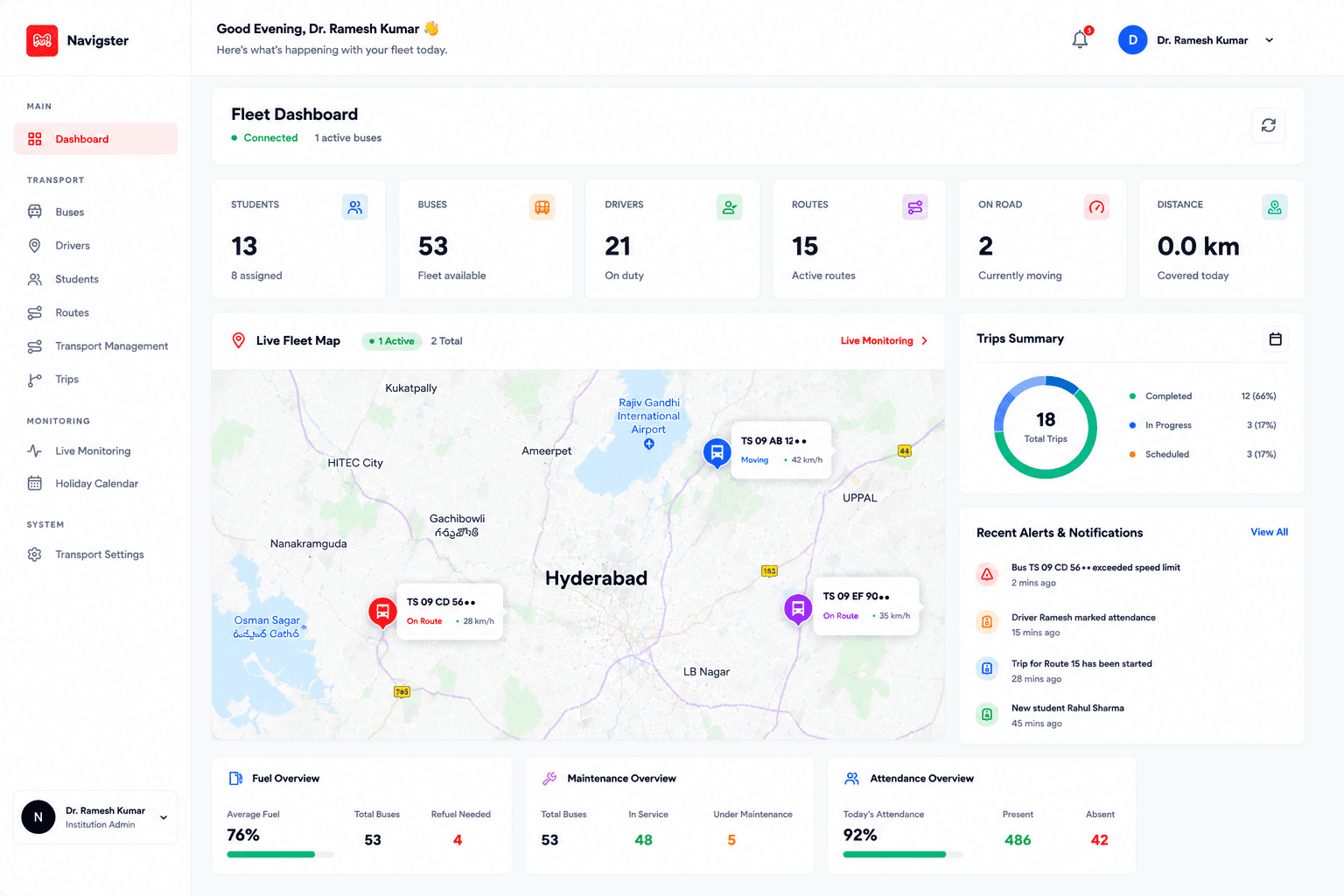
Route planning and scheduling
Transport teams set up the approved routes, stops, vehicles and drivers in the organization dashboard. The driver then sees the assigned route in Navigster Drive.
Organization dashboard · Routes
ExampleRoutes · Trip assignment
Route S07 · Morning pickup
- Vehicle
- School Bus 07 · TS09 UA 12••
- Driver
- Assigned
- Direction
- To school
- Departure
- 07:05 AM · scheduled
Stop order
- 1Miyapur PickupPickup
- 2KPHB Colony PickupPickup
- 3School Gate · KukatpallyDestination
Shared with the driver in Navigster Drive
Routing
Scheduling
Route Guidance
Live tracking and pickup ETAs
Tracking starts when the authorized driver deliberately starts the assigned trip in Navigster Drive. During that trip, authorized users see the vehicle’s available progress and an estimate for their stop.
Navigster · School Bus 07
ExampleNext pickup
KPHB Colony Pickup
Pickup estimate
07:25 AM
7 min away
Earlier 07:20 AM · updated 07:18 AM
Visibility during an assigned trip
Stop-level ETA and Arrival Reminder
An estimate is not an event
Stop assistance and boarding
Navigster helps each user reach the right stop and, for supported school and college services, records boarding with a clear distinction between proximity and confirmation.
Supported school and college services
Example1 · Near the assigned stop
- Bus within 100 m
- Registered phone within 100 m
Qualifying signal · not proof of boarding
2 · Separate confirmation
Navigster · Notification
Boarding confirmed
KPHB Colony Pickup · School Bus 07
The responsible team can verify or correct an uncertain outcome.
Recorded as its own event
Parent’s or guardian’s phone for a schoolchild; the student’s own phone for an eligible college student.
User Stop Boarding Assistance
Auto Boarding
Auto Boarding Confirmed
Trip alerts and notifications
Operational Alerts help transport teams notice what changed; passenger Notifications keep users informed from departure to arrival.
Trip updates · Route S07
ExampleTrip Started
School Bus 07 began its journey
07:16 AM
Delay Update
KPHB Colony pickup now 07:25 AM
07:18 AM
Arrival Reminder
Bus approaching KPHB Colony Pickup
07:22 AM
Trip Completed
Arrived at School Gate · Kukatpally
07:48 AM
Updates go to the people assigned to this trip
Alerts
Notifications
The six trip updates
Trip Started. An update when the assigned vehicle begins its journey and trip tracking becomes available.
Arrival Reminder. Sent as the vehicle approaches the pickup point. See live tracking and pickup ETAs above.
Auto Boarding Confirmed. Sent where Auto Boarding is enabled, after the confirmation event. See stop assistance and boarding above.
Issue Reported. Journey-related issues shared with the relevant transport team so they can respond appropriately.
Delay Update. When unexpected delays or route changes affect the journey.
Trip Completed. Journey completion updates, with available trip information to review.
Reports and trip review
Transport staff review trips, routes and operations in the organization dashboard, within the services their role allows them to see.
Reports
Trip and passenger status are separate
Plans and renewals
Navigster manages user plans and renewals for eligible passenger access. Plan details, dates and renewal options are shown in the app before anyone pays.
Plan and renewal management
Three connected experiences
Navigster connects users, drivers and transport teams through two dedicated applications and a centralized Admin Dashboard. Each view shows the same trip with what that role needs.
Passenger app
Navigster
Follow assigned transportation, view live vehicle locations, receive arrival reminders, and stay informed with journey and boarding notifications.
Navigster on How It Works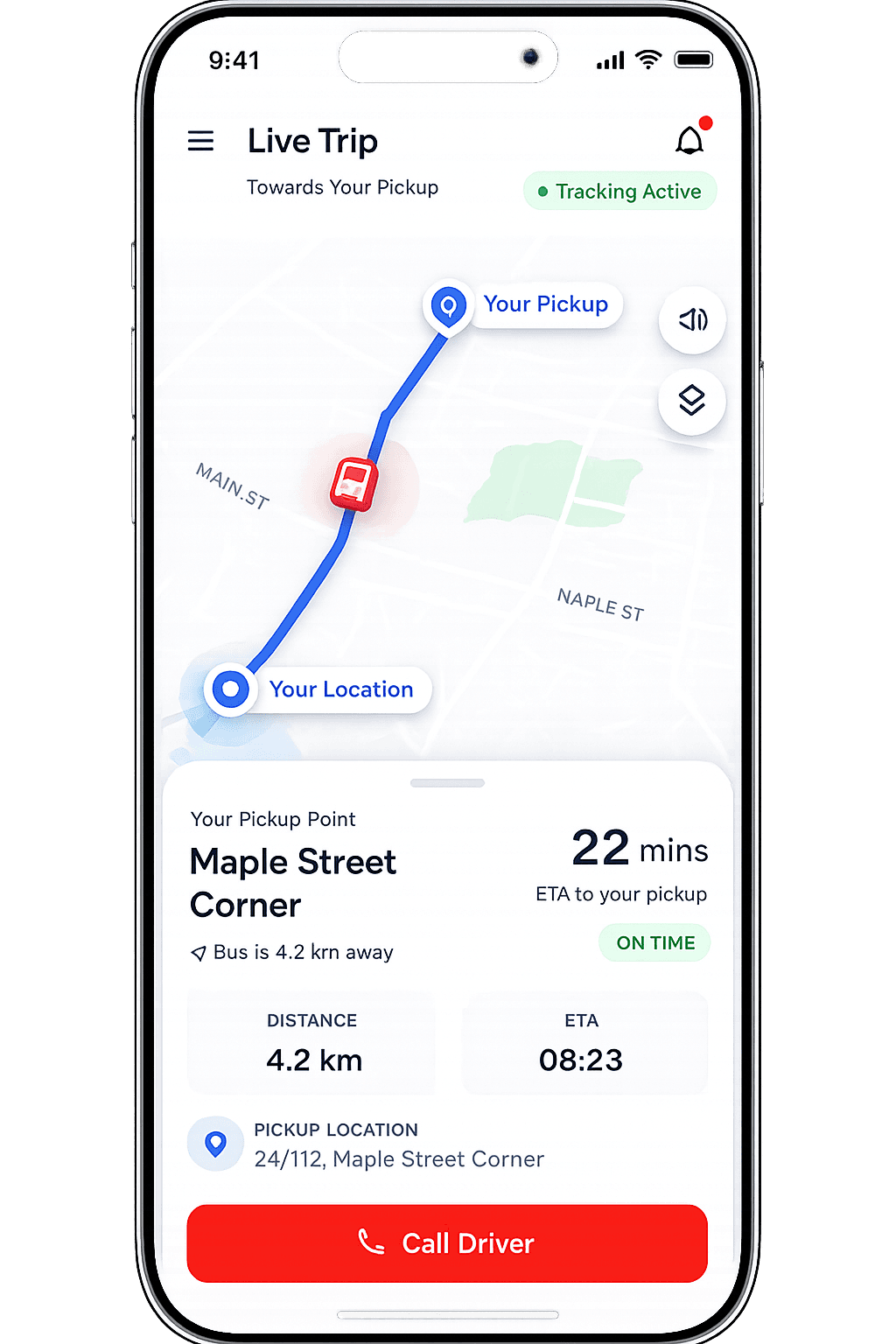
Driver application
Navigster Drive
Manage assigned trips, access assigned routes and stop sequences, share journey progress, and report important trip events.
Navigster Drive on How It Works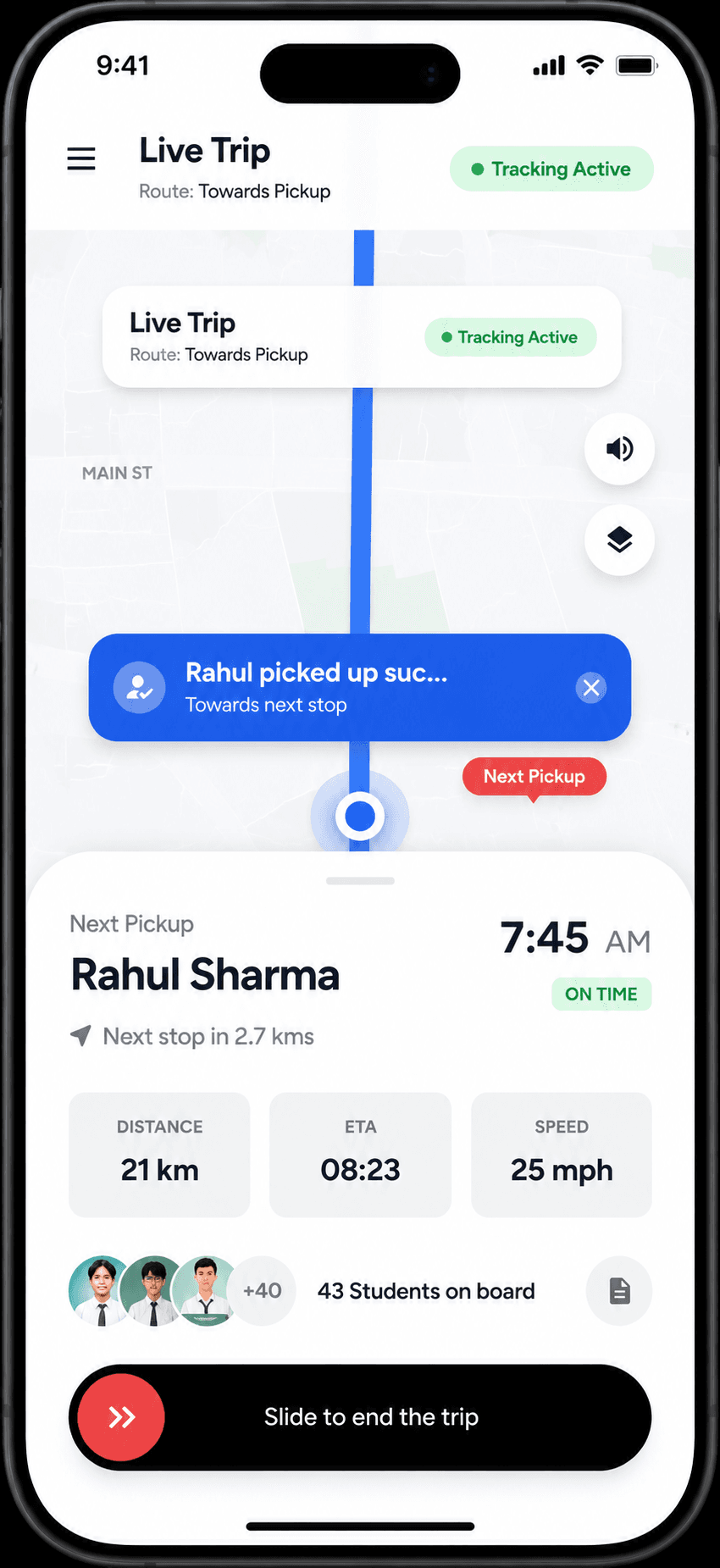
Transport operations
Admin Dashboard
Oversee vehicles, drivers, routes, trips, and operational activities from one place.
Admin Dashboard on How It WorksAdmin Dashboard
Without a connected platform
- Vehicle locations and journey information may be spread across different communication channels.
- Transport updates can depend on repeated calls, messages, and manual coordination.
- Transport teams may have limited visibility into journey changes and operational issues.
With Navigster
- View vehicle locations, route progress, and journey information through a connected platform.
- Keep users informed with arrival reminders, boarding notifications, and automatic delay or route-change updates.
- Help transport teams, drivers, and users stay connected through coordinated transport operations.
See these features with your own routes
Tell us what you operate and we’ll prepare a demo around your service. Looking for fit by sector? Compare transport solutions.